What’s due, and when
Papillon gathers your homework week by week, lets you check it off when you’re done and shows you what’s coming up at a glance.

4.7 out of 5 · 2M+ downloads
Works with


Your homework, under control
See what’s coming, tick off what’s done and sort the rest your way.
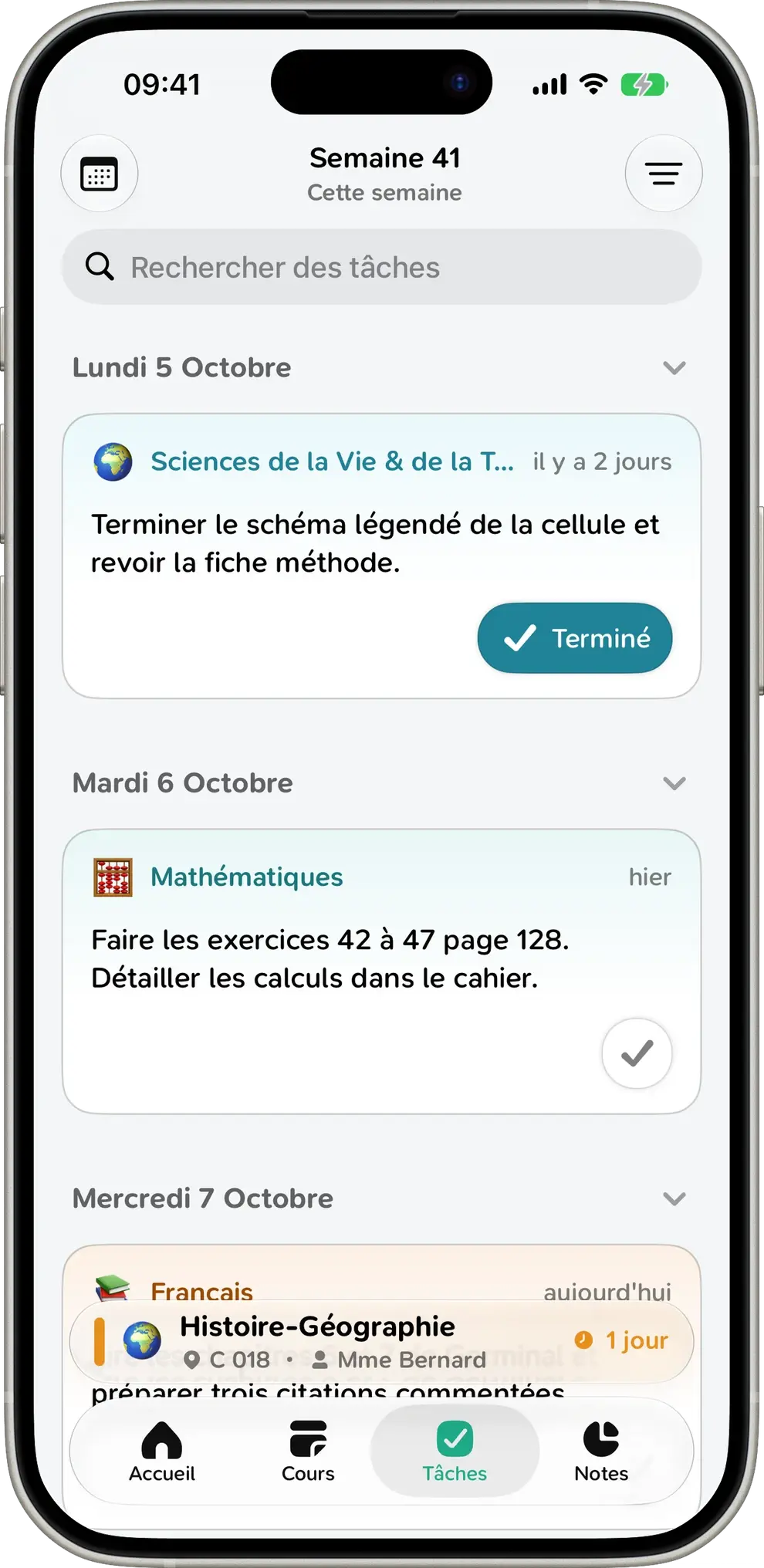
Your whole week, day by day
Your homework is sorted by due date, with the subject and how much time you have left. Swipe to see next week.
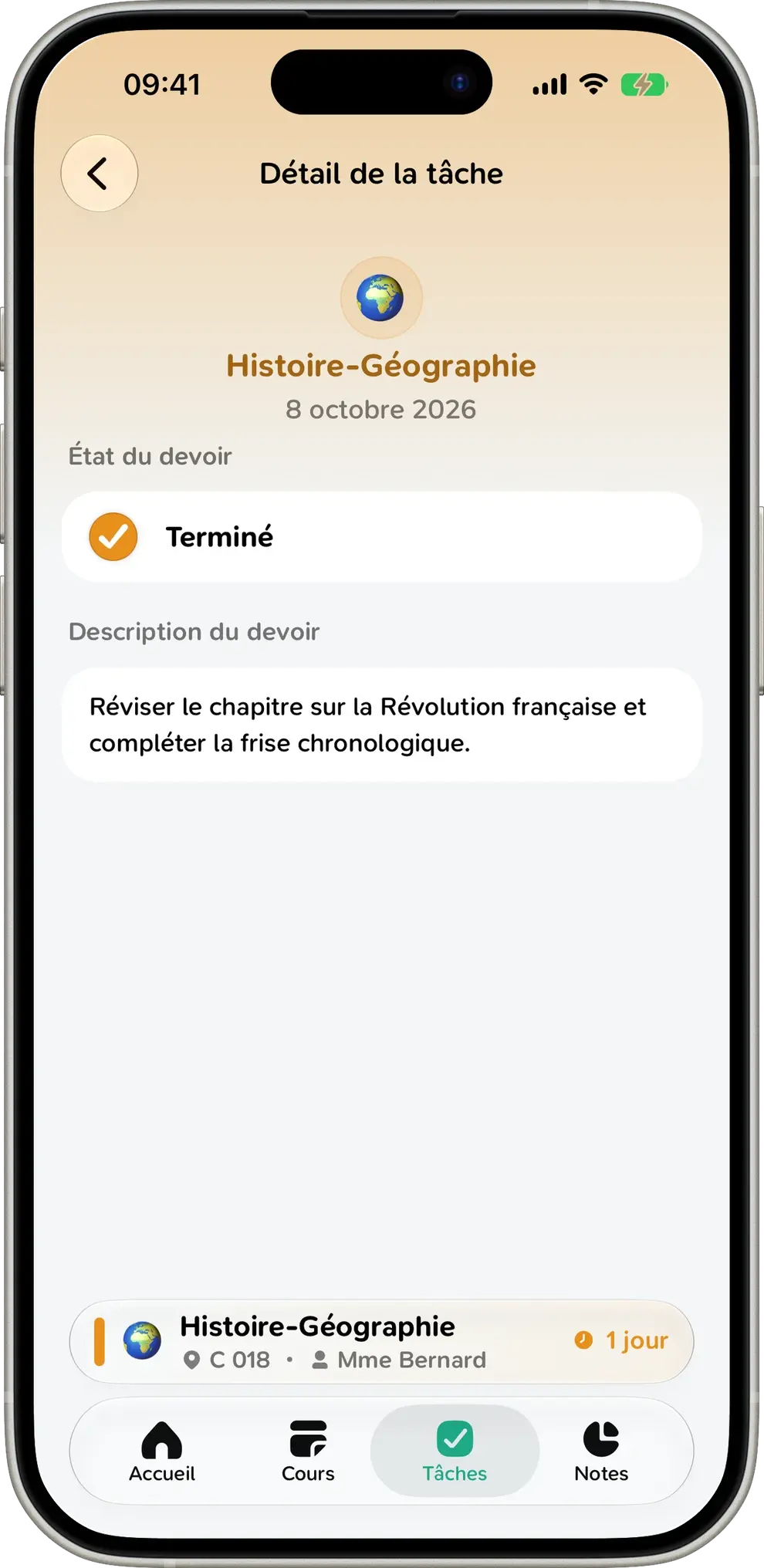
Check it off. Done
Mark an assignment as done with one tap, from the list or the assignment itself. You always know what’s left before tomorrow.
Sort it your way
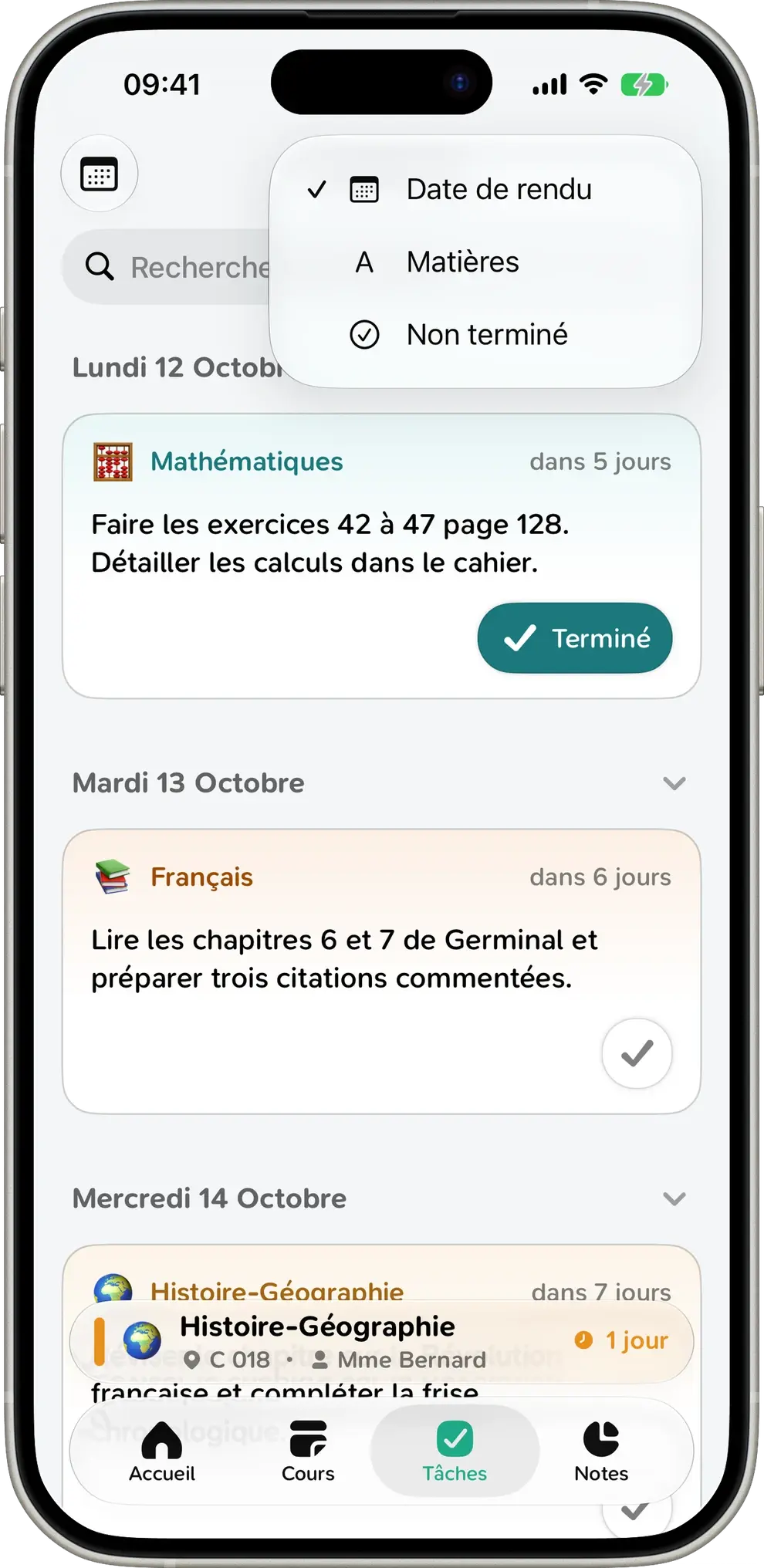
Sort your homework by due date or subject, or show unfinished work first. Looking for specific instructions? Just search.
Also
Smart subjects
Over 250 subjects recognized automatically, even abbreviated, each with a clean name, an emoji and a color.
Right on the home screen
Your to-do list is there the moment you open the app.
Attachments
Files your teachers attach are right there in the assignment.
Search
Find any assignment by typing a word from the instructions or the subject name.
Works offline
Your homework is always available, even without a connection.
Just for you
Your homework stays on your device, never on our servers.
Homework FAQ
Everything you need to know about homework in Papillon.
Papillon pulls the homework your teachers post on Pronote, ÉcoleDirecte or Skolengo, straight from your school.
Yes. Swipe left or right on the list to move between weeks.
Yes. Open an assignment to see the full instructions and any files your teacher attached.
Papillon automatically recognizes your subjects and gives each a clean name, an emoji and a color. You can change any of it.
Yes. Once your homework has loaded, it’s saved on your device and available offline.
Yep. Everything is free, with no ads and no subscription.
No more “wait, did we have homework?”
Install Papillon and sign in with your school login. Your homework shows up in seconds.