Know your average before report cards do
Papillon pulls in your grades as soon as they’re posted, calculates your weighted average and shows how it changes, subject by subject.


4.7 out of 5 · 2M+ downloads
Works with


Every grade, from every angle
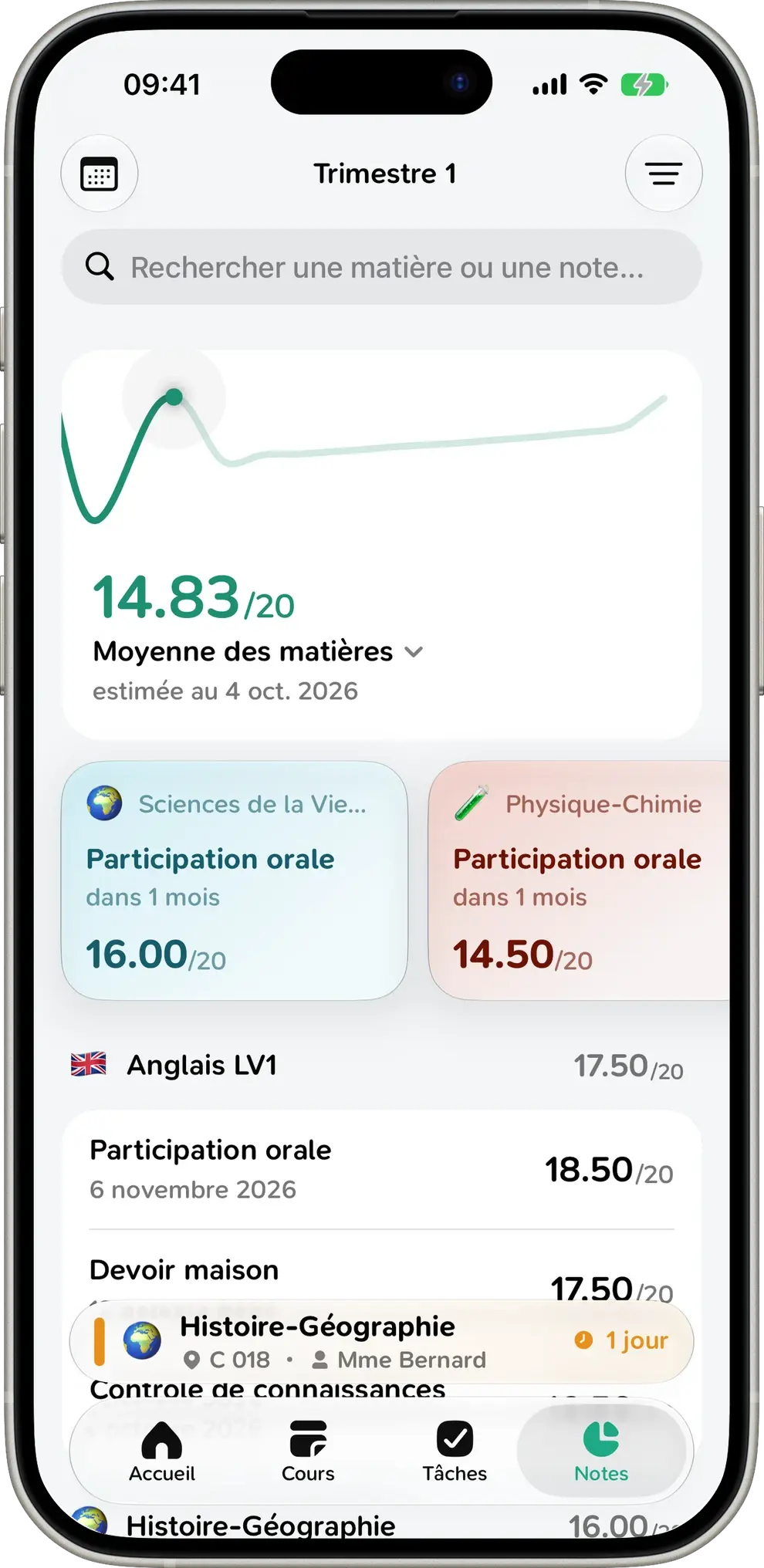
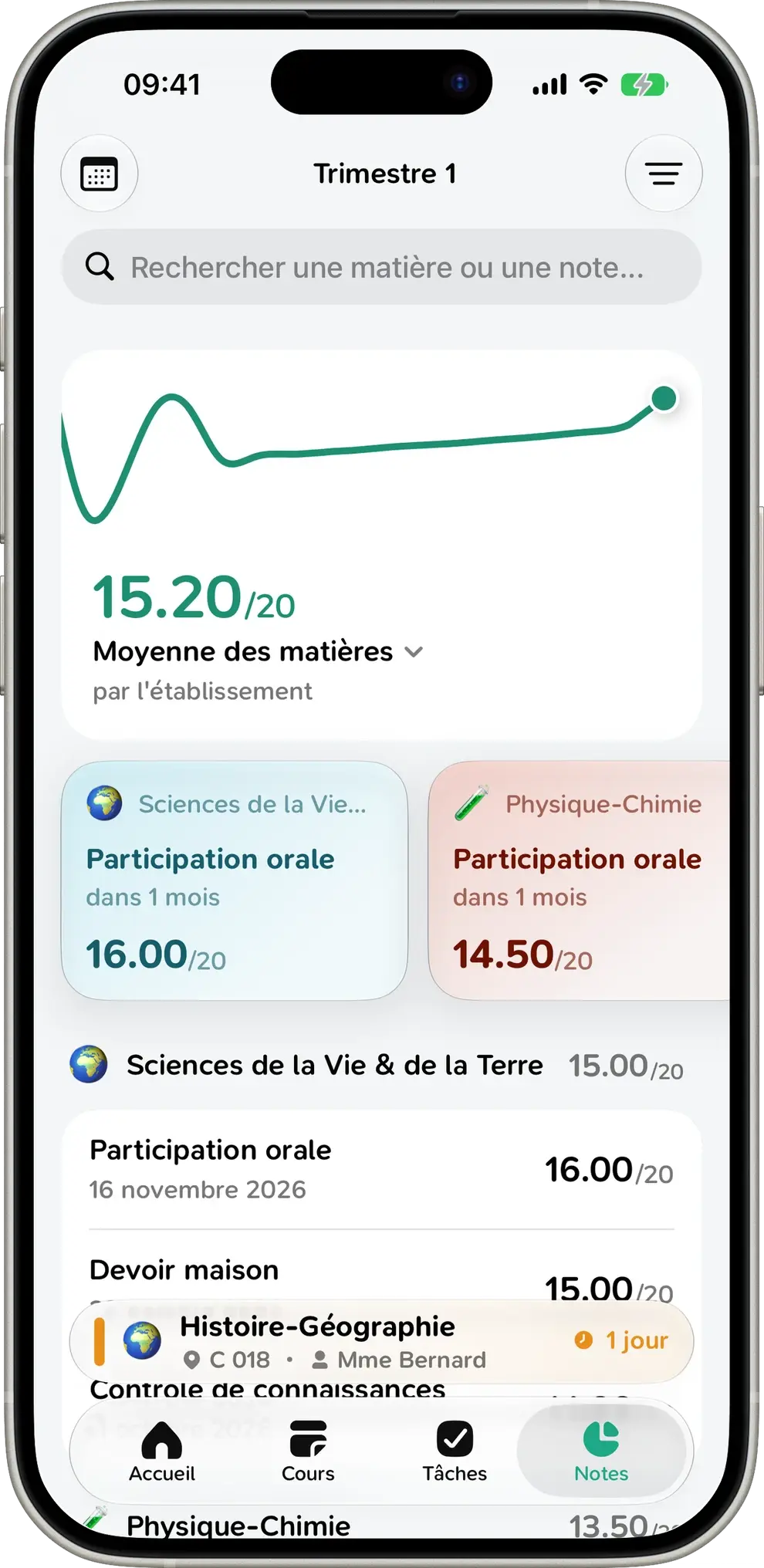
Trend line, averaging method, periods and subjects: Papillon organizes your results so you have nothing to work out.
See where you stand, at a glance
Your overall average front and center, with a chart covering the whole term. Drag your finger along it to see your average on any day.
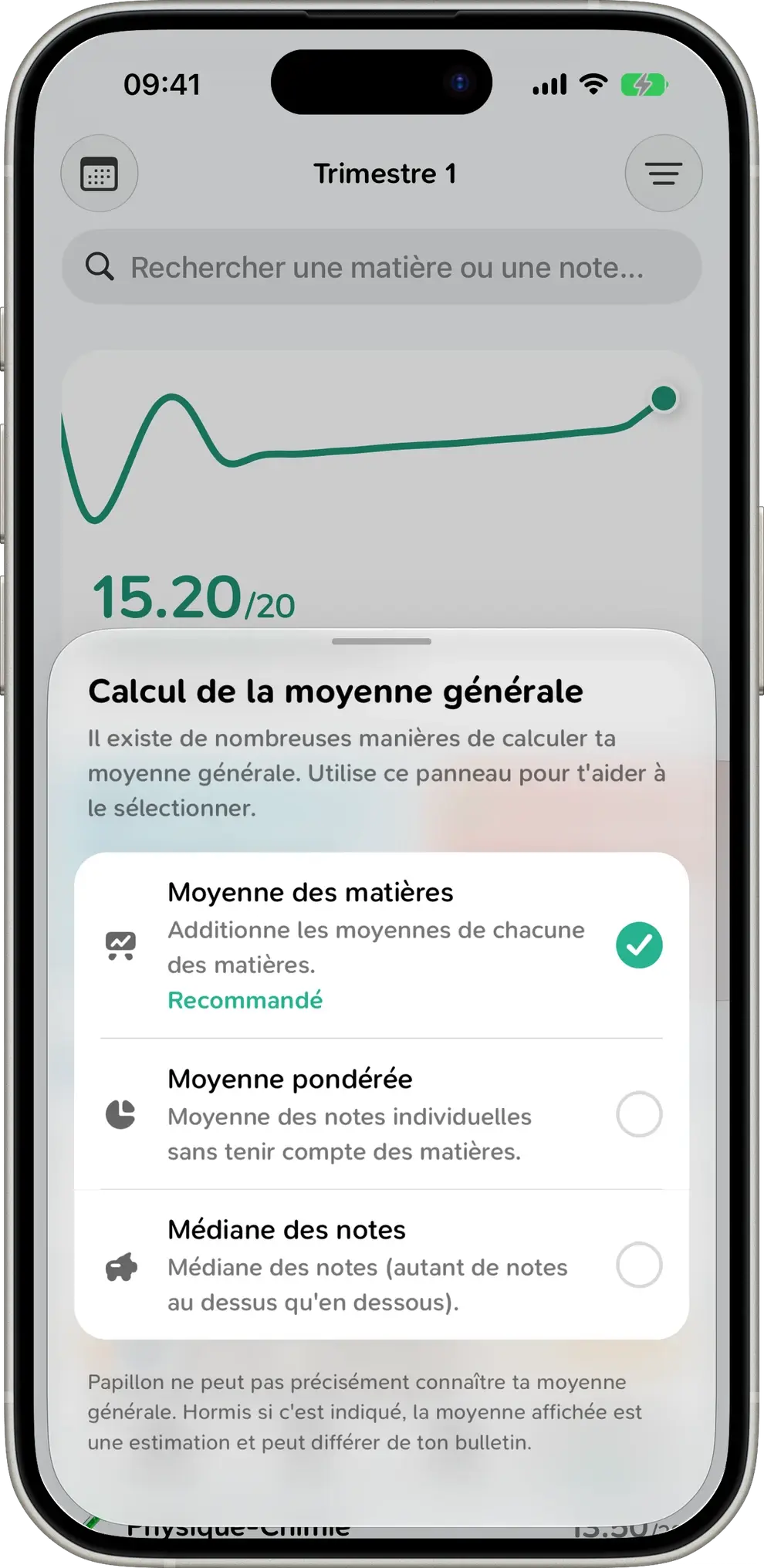
The right average, with the right weights
Papillon factors in weights and lets you pick the method your school uses. If your school posts its own average, that’s the one you’ll see.
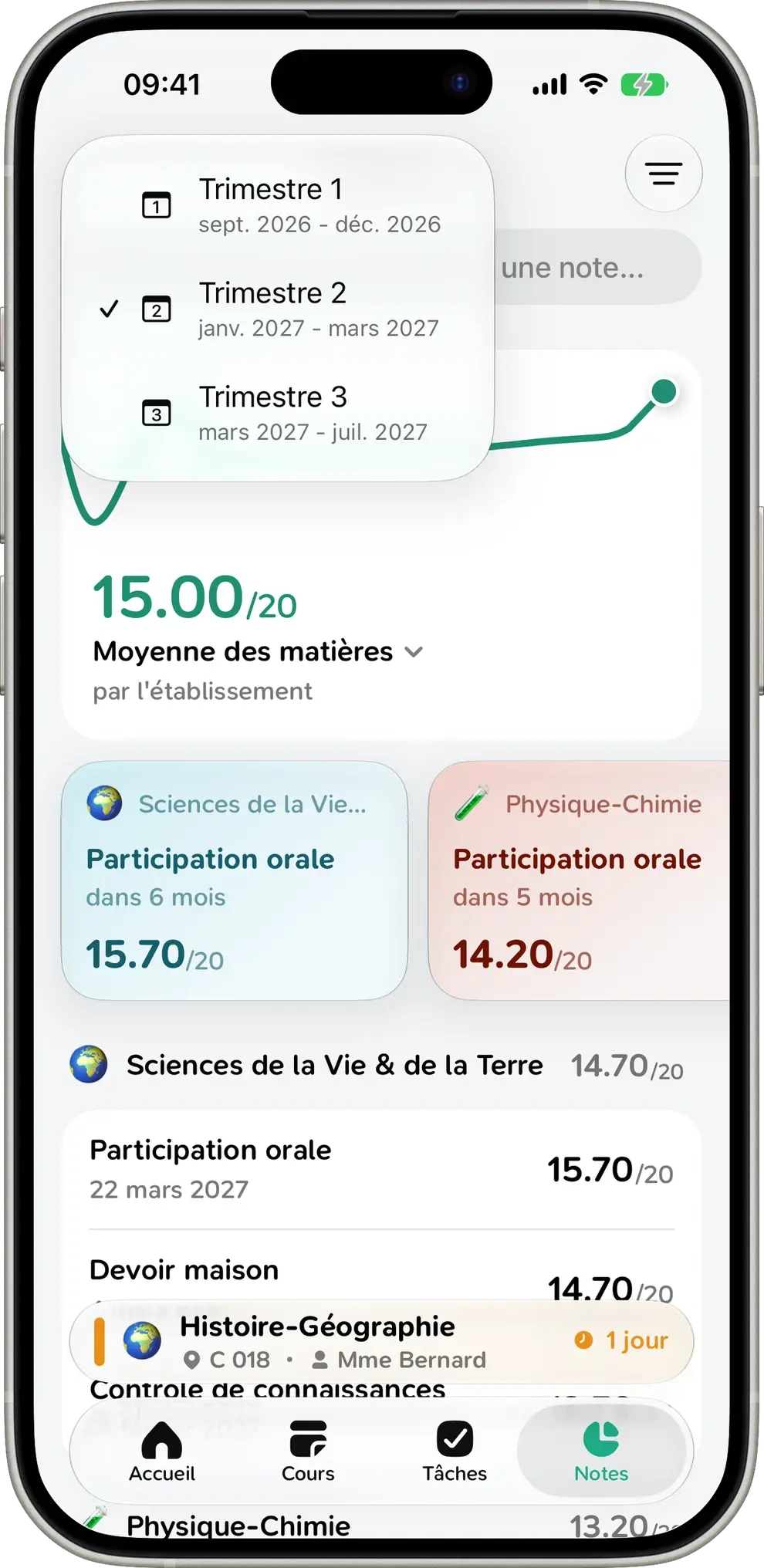
Term by term
Switch between terms or semesters from the menu to compare your results or look back at the start of the year. Practice exams get their own tab.
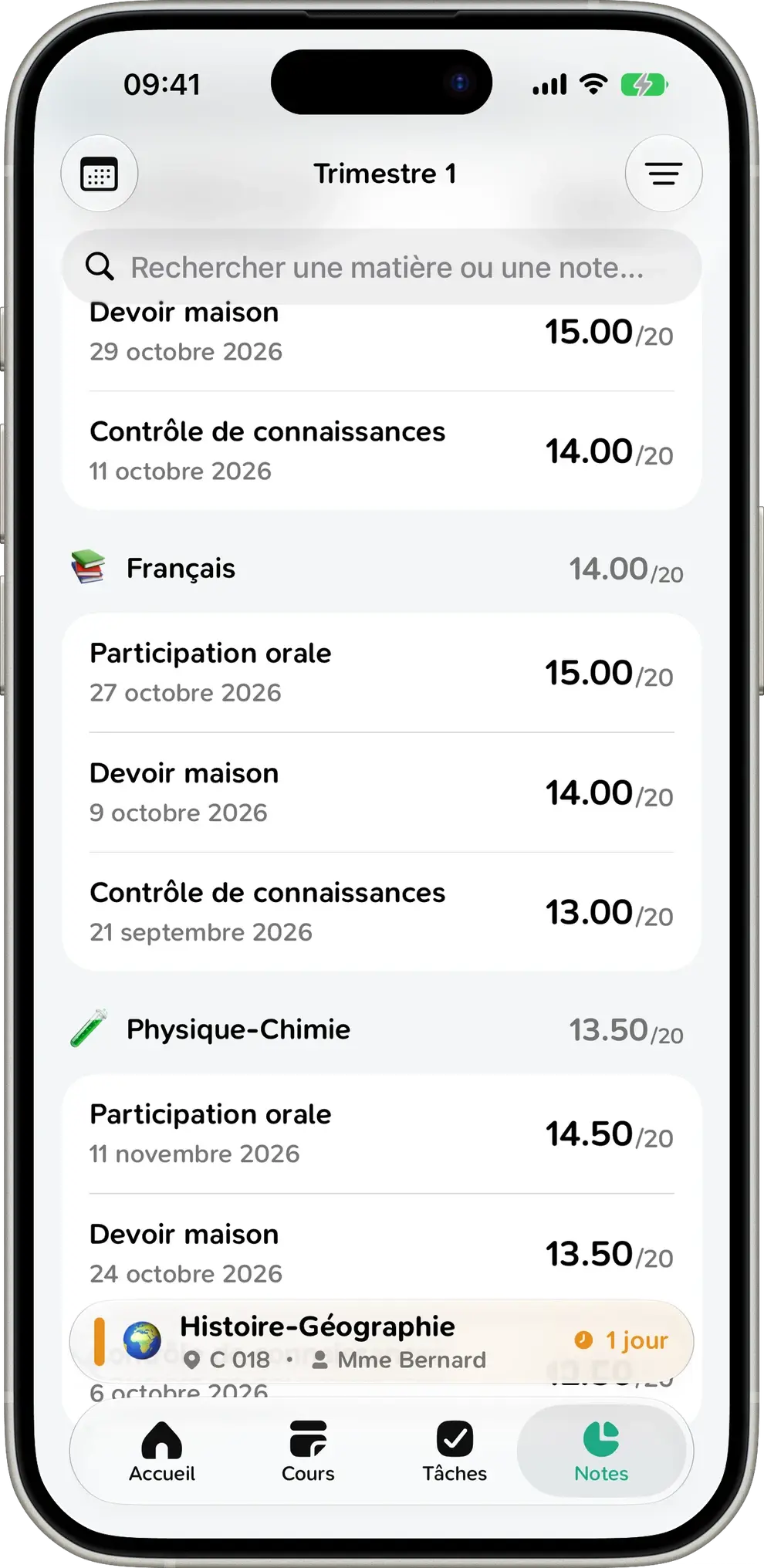
All your subjects, neatly organized
Your grades are grouped by subject, each with its own average. Papillon recognizes over 250 subjects, even when they’re abbreviated or in all caps, and gives each a clean name, an emoji and a color. Sort them, or search for any assignment.
What your grade is really worth
Got a 16 in Biology? That’s +0.07 on your overall average. Papillon shows the impact of every grade, so you know exactly where you’re gaining ground and where to catch up.
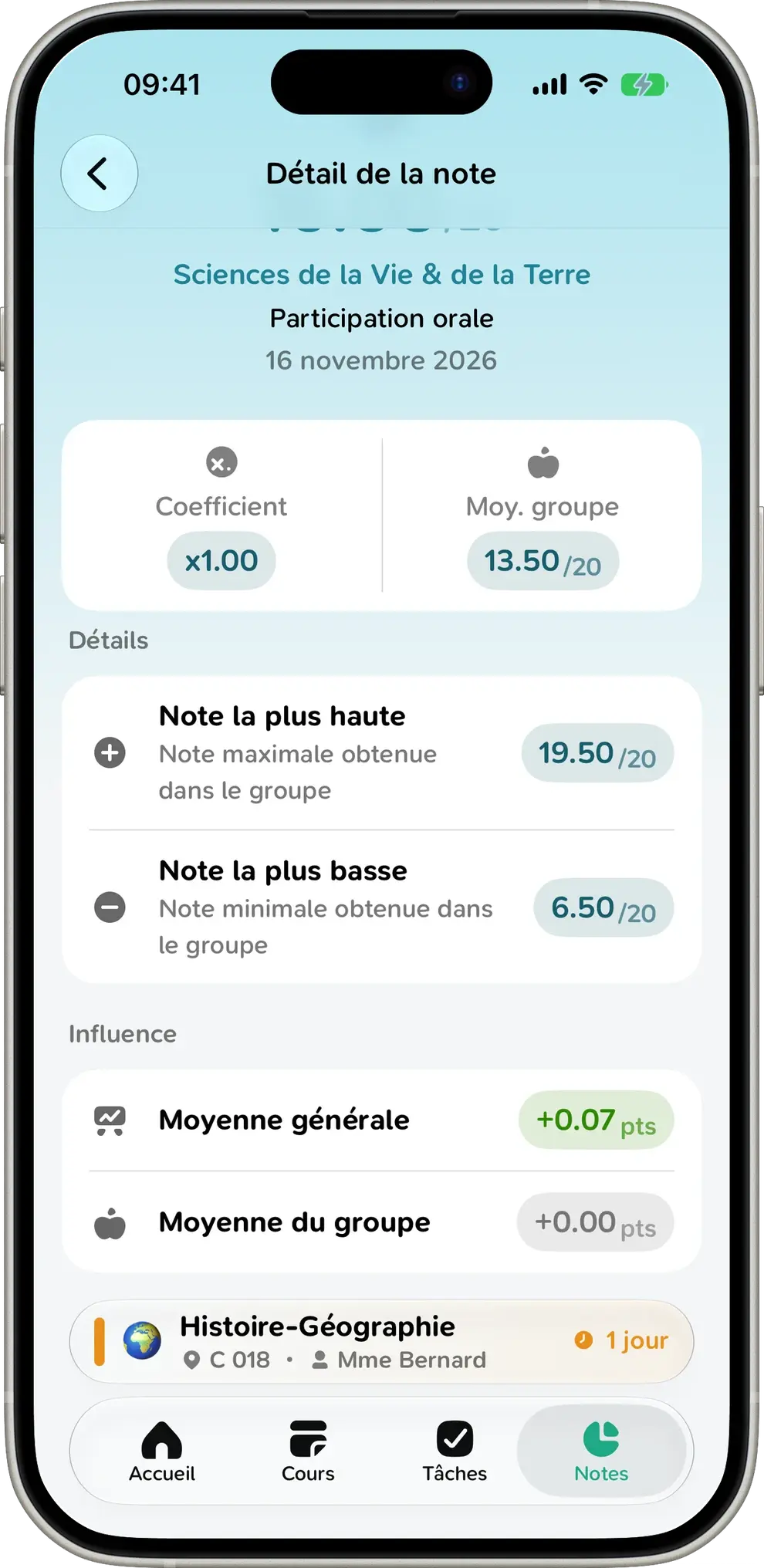
- Weight of every assignment
- Class average
- Highest and lowest score
- Points gained or lost, grade by grade
Even better on a big screen
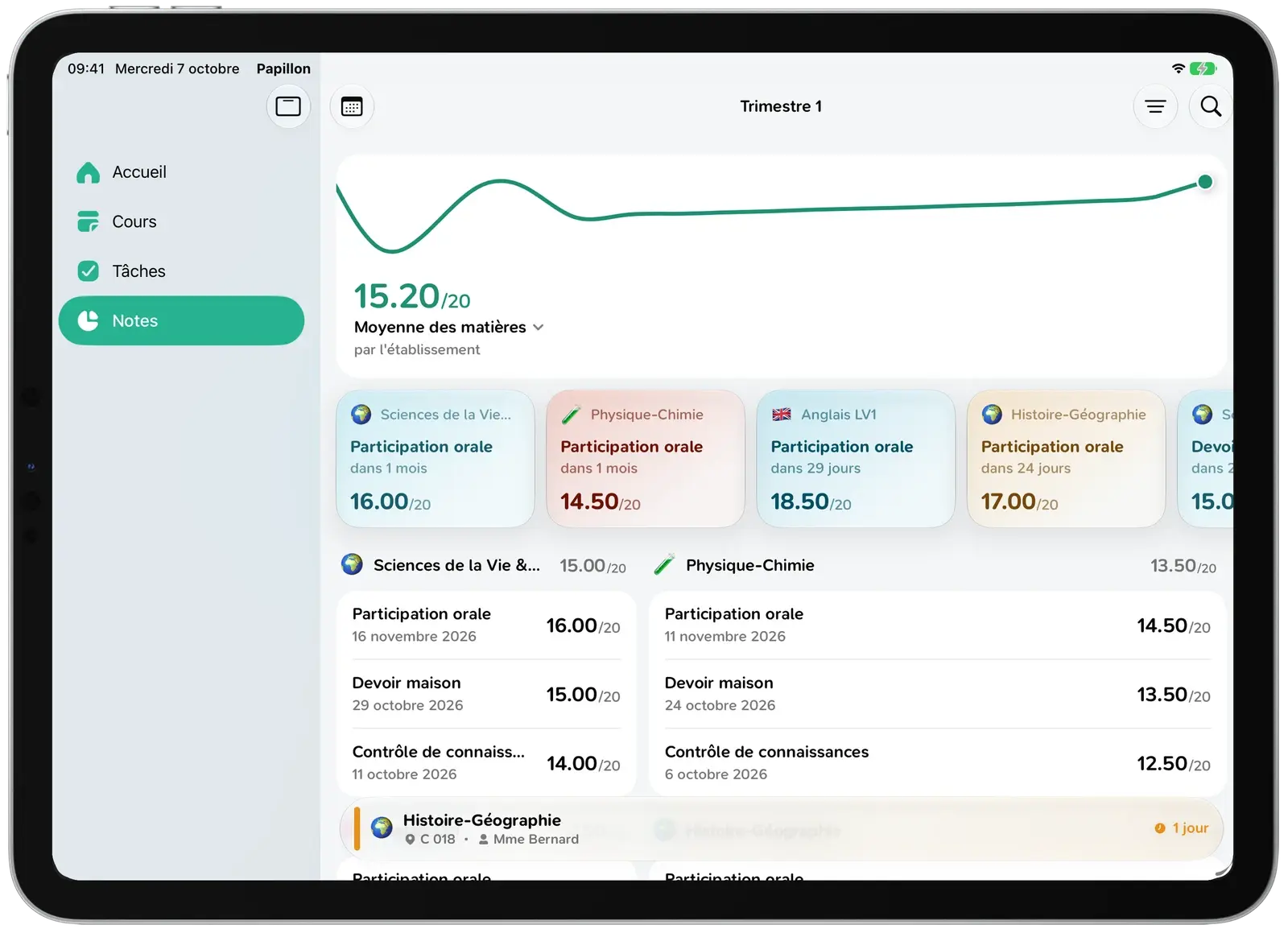
On iPad and Mac, Papillon uses the full width of the screen: the chart stretches out, your latest grades scroll by and two subjects sit side by side.
Also
Works offline
Your grades are always available, even with no signal on the bus or in the back row.
Right on the home screen
Your average and its chart are there the moment you open the app.
Out of 20, or not
Graded out of 10 or 40? Papillon converts it to the scale you prefer.
Skills
Skills-based assessments are supported too.
Make it yours
Everything’s set up for you, but you can change any subject’s name, emoji and color.
Just for you
Your grades stay on your device. They never touch our servers.
Grades FAQ
Everything you need to know about grades and averages in Papillon.
If your school posts an average, Papillon shows exactly that. Otherwise, the app calculates it from your grades and their weights. It’s a close estimate, but it may differ slightly from your report card (extra credit, optional grades, rounding).
Yes. Every grade counts according to the weight your teacher set, which you can find in the grade’s details.
We recommend the subject average, since most schools use it for the overall average. The weighted average and median give you another way to look at your results.
As soon as they’re posted on Pronote, ÉcoleDirecte or Skolengo. Papillon fetches them straight from your school when you open the app.
Yes. Once your grades have loaded, they’re saved on your device and available offline.
No. Your grades go straight from your school to your phone. Papillon never sees, stores or sells them.
Yep. Everything is free, with no ads and no subscription.
Your grades deserve better than a spreadsheet
Install Papillon and sign in with your school login. Your grades show up in seconds.