How we brought native features to React Native
Widgets, Siri, Spotlight, Live Activities and Apple Intelligence: how PapillonKit gets Swift and React Native talking without going through the bridge.
 Lucas LavajoTranslated by AI
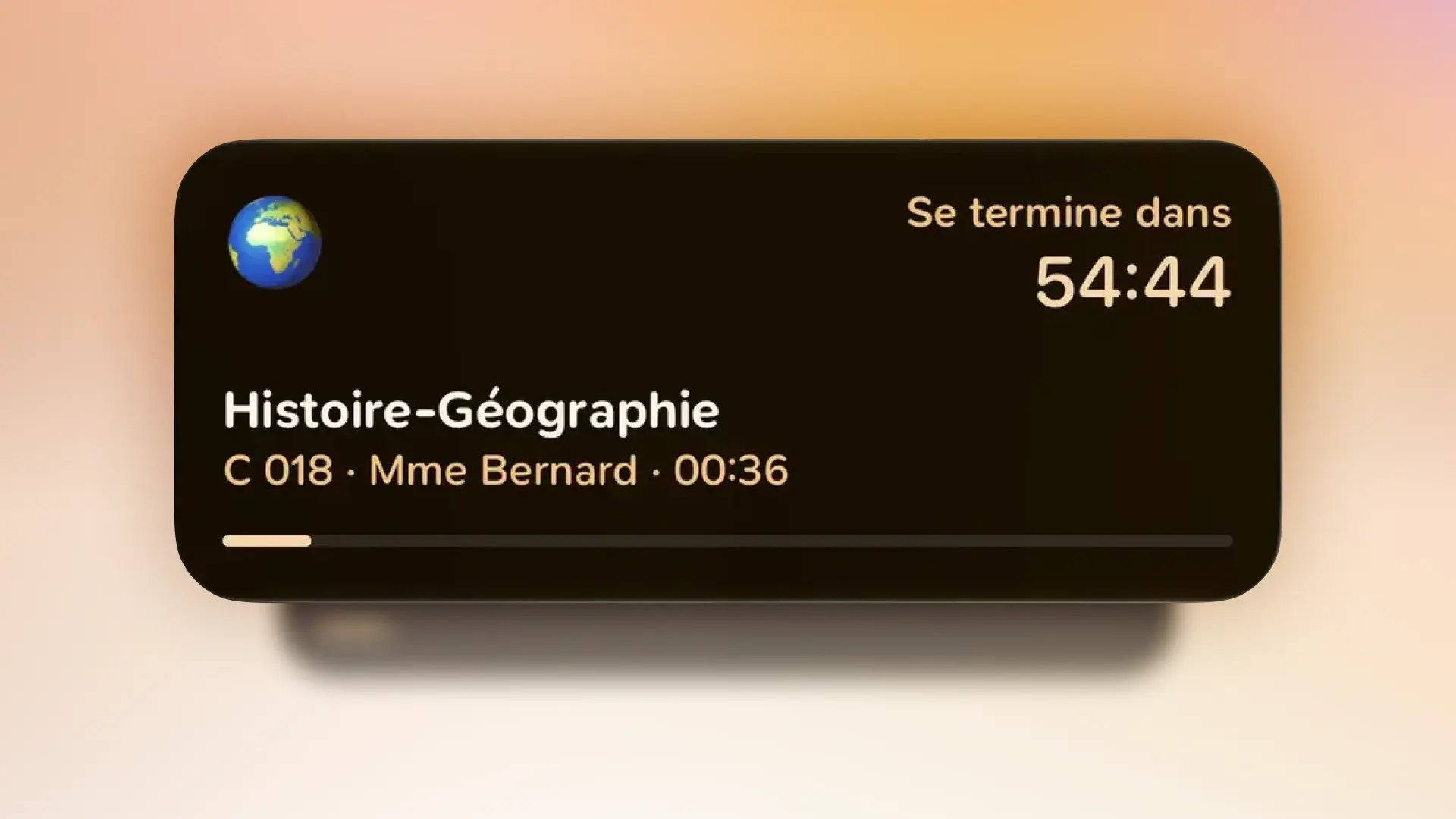
Widgets, Siri and Live Activities run even when the app is closed, where JavaScript can't answer. So we rewrote PapillonKit to let the Swift code read the app's own files directly, in read-only mode, and refresh itself whenever they change. Every new native feature gets much simpler: the data is already there.
Papillon is a school app built with React Native and Expo. Put simply, it lets us write the app only once in JavaScript, then ship it on both iPhone and Android. For a small team of students, that's a huge time saver.
But some iPhone features are only available in Swift, Apple's language: a widget on the home screen, an answer from Siri, a class showing up in the Dynamic Island... And in those places, our JavaScript code simply doesn't run.
So what do we do?
The bridge problem
Normally, when a React Native app needs an iPhone feature, it goes through what's called the bridge. The JavaScript asks the Swift code a question, waits for the answer, then displays it. It works very well, as long as the app is open.
Except a widget works even when Papillon is closed. Siri can answer you without opening the app. And a Live Activity has to switch from "soon" to "now" on its own, on the lock screen. In all these cases, there's nobody on the other side of the bridge to answer.
Our first version worked around the problem: on every change, the app prepared the info and sent it to the widgets. It worked, but every new feature required even more code, and if the app hadn't had time to send the info, the widget showed outdated data.
So we decided to rewrite PapillonKit around a simple idea: instead of sending the data to the Swift code, let it go fetch it itself.
And that changed everything.
Reading the same files as the app
All your Papillon data (classes, homework, grades, accounts) is already stored on your phone, in files. Nothing goes through our servers, since we don't have any.
On iPhone, each app normally lives in its own bubble and shares nothing. But Apple lets you create a shared folder, an "App Group", that the app, its widgets and Siri can all read. So that's where we put these files.
From there, the Swift code can directly open the same database as the app. And to avoid any problems, it opens it read-only: it can look, but never modify. Only the app is allowed to write, which guarantees your data will never get corrupted.
In practice, it takes just a few lines: we open the file, then immediately tell it that writing is forbidden.
sqlite3_open_v2(path, &pointer, SQLITE_OPEN_READWRITE, nil)
sqlite3_exec(handle, "PRAGMA query_only = 1", nil, nil, nil)
The result: when you ask Siri for your next class, it reads exactly the same info you see in the app.
Knowing when data changes
Reading the data is good, but knowing when to read it again is better. Rather than waiting for the app to say so, PapillonKit watches the file directly.
As soon as Papillon fetches your new grades or your new schedule, the file changes. PapillonKit waits a few seconds for everything to be properly saved, then updates your widgets and your Spotlight search in one go. Even if the app writes fifty times in a row, the work is only done once, which avoids draining your battery for nothing.
In the end, the rest of Papillon has almost nothing to do. It saves its data as before, and everything follows automatically.
One app for everyone
Not every iPhone can do the same things, and on Android none of this exists. To avoid handling each case by hand, PapillonKit simply tells the app what your phone can do:
- Widgets: from iOS 17.
- Live Activity: from iOS 18.
- Apple Intelligence: from iOS 26, on iPhone 15 Pro and newer.
- Siri and Spotlight: from iOS 27.
If a feature isn't available, it simply does nothing. No crash, no error message: the app keeps working normally.
On the app side, all it takes is asking before acting:
import { features, widgets } from "@getpapillon/papillonkit";

if (features.liveActivities) {
  await widgets.showCourseActivity(course);
}
Siri and Spotlight
You can now ask "What's my next class on Papillon?". Siri reads your account, looks for the next class, then answers you directly, without ever opening the app. It also works for your next homework, and you can reuse these answers in the Shortcuts app.
The phrases Siri recognizes are translated into French and English, and are added to the app automatically at build time.
Your classes and homework also show up in Spotlight, the iPhone's search. Type "maths" from the home screen, and your next maths class appears, with the room and the teacher.
Widgets
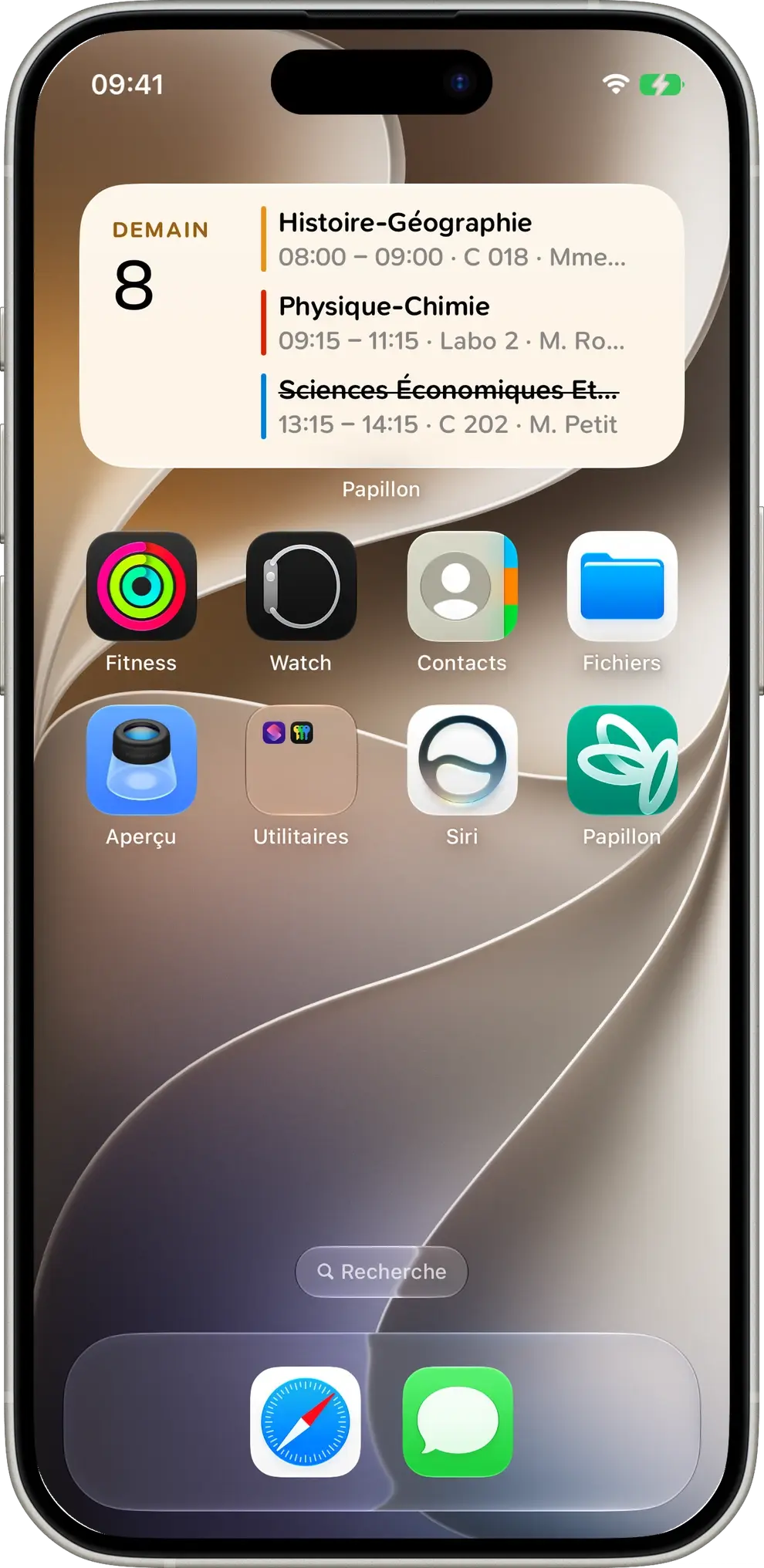
The "Schedule" and "Tasks" widgets were completely rebuilt in SwiftUI, Apple's tool for building interfaces, to be faster and more reliable.
A widget has its own rules, though. It has very little memory, and it's the iPhone that decides when to update it, not us. For that, the widget prepares its display in advance for the coming days: when a class ends, it moves on to the next one by itself, even if you haven't opened the app in a long time.
Your subject colors also had to be exactly the same as in the app. Rather than comparing by eye, we collected more than 200 colors computed by the app, and automated tests check that the widgets give exactly the same result. Same for subject names, emojis and weeks.
Live Activities
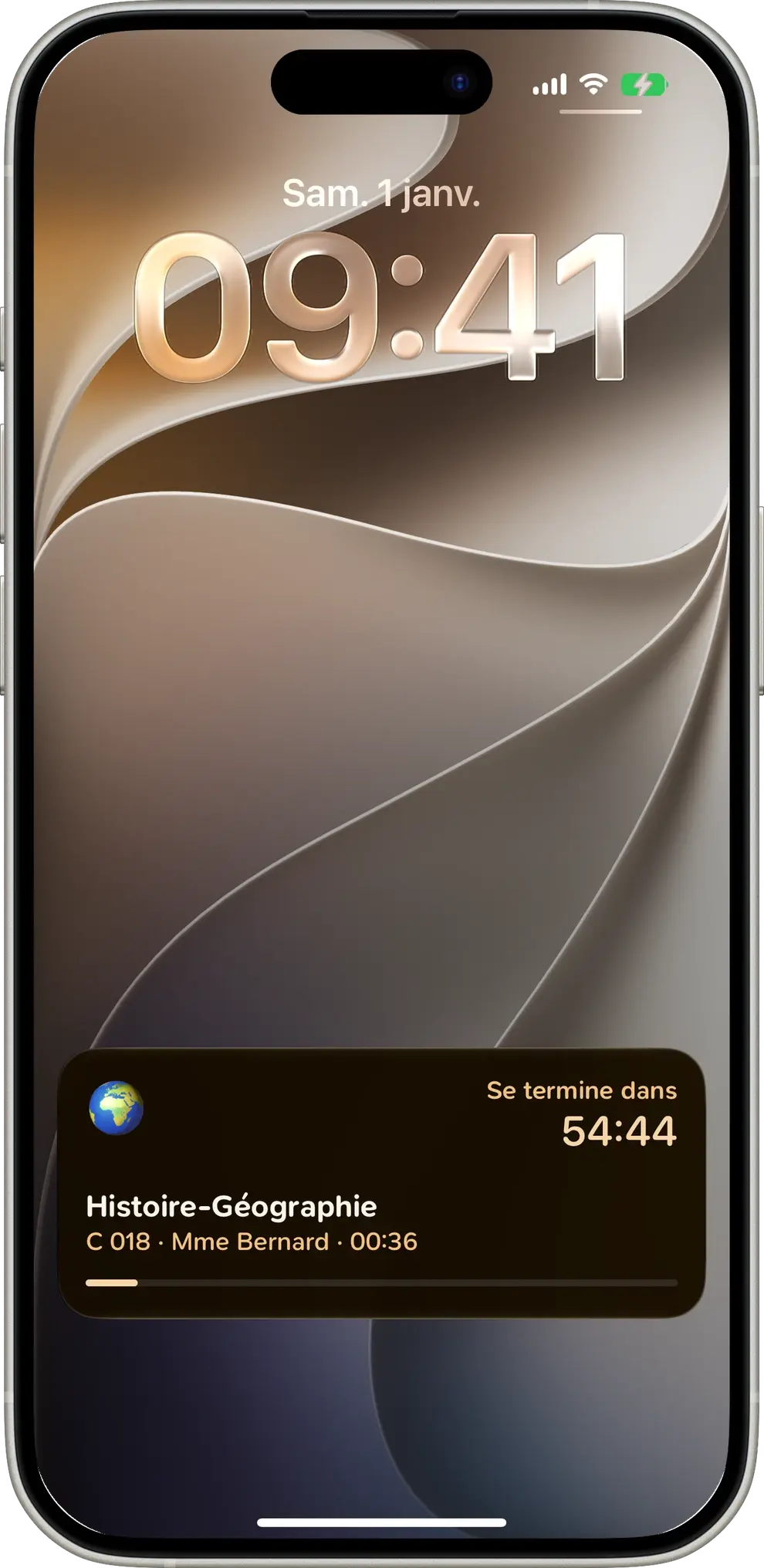
The Live Activity shows your current or next class on the lock screen, in the Dynamic Island and even on your Apple Watch. There's only ever one at a time: when a new class comes up, the old one disappears.
The most interesting part is switching from "starting soon" to "in progress" without the app running. The iPhone lets you say in advance "this info will be outdated at this time". So we give it the class start time, then the end time, and the phone updates the display by itself, right on time.
// Before the class: the info expires when the class starts.
// During the class: it expires when the class ends.
let staleDate = now < state.startsAt ? state.startsAt : state.endsAt
let content = ActivityContent(state: state, staleDate: staleDate)
Apple Intelligence
On compatible iPhones, Papillon can use Apple's artificial intelligence directly in the app. What makes it special is that everything happens on your phone: nothing is sent over the internet.
The app can ask it for free-form text, or a neatly structured answer, for example a title and a list of steps. For that, we give it a kind of form to fill in.
const summary = await intelligence.generateObject(prompt, {
  schema: {
    type: "object",
    properties: {
      title: { type: "string" },
      steps: { type: "array", items: { type: "string" } },
    },
  },
});
// → { title: "Review chapter 3", steps: ["Reread the lesson", "Do the exercises"] }
One detail actually took us quite a while: the order of the fields in this form. The AI fills in the fields in the order they arrive, and that order makes a big difference to the quality of the answer. Except that when going from JavaScript to Swift, the order got shuffled. So we added a small list that fixes the order of the fields, so the AI always fills them in the right sequence.
The testing challenge
When we change PapillonKit, we must absolutely not break Papillon, used every day by thousands of students. So several automated checks were put in place:
- Several iOS versions: the code is checked against iOS 17, 26 and 27, to make sure it also works on older iPhones.
- Installation: we check that widgets and Siri are correctly added to the app.
- Android: we check that everything keeps working when these features don't exist.
- Publishing: a new version can only be published after a double approval.
Conclusion
The biggest decision in this project wasn't really technical. It was accepting that JavaScript and Swift read the same files, rather than spending their time sending each other messages. Once that choice was made, every new feature becomes much simpler: the data is already there, you just have to read it.
PapillonKit is open source on GitHub. If you're building an app too and running into the same limits, the code is there for you!