Papillon 8.6: made for big screens
Papillon on iPad and iPhone Duo, a week view for your timetable, custom homework, widgets, Live Activities, gradient wallpapers... Everything that changed since 8.4.
 The Papillon teamTranslated by AI
Papillon 8.6 brings together six months of work since 8.4. The big one: an app finally designed for iPad and iPhone Duo, adapting live to the size of the screen. And also: a week view for the timetable, homework you can create yourself, widgets and Live Activities on iPhone, gradient wallpapers, skills in grades, an offline account and encrypted data on your phone.
Papillon 8.6 is available today on the App Store and the Play Store. Since 8.4 came out in April, we shipped 8.5 and a few bug fix releases, but a lot happened behind the scenes. So this version is the perfect time to go over everything that changed in six months.
And there's a lot.
Papillon on iPad and iPhone Duo
This is the biggest change in this version: Papillon is finally designed for big screens.
There already was an iPad version, but let's be honest, it just stretched the app across the whole width. This time, every main tab was redesigned to make the most of the extra space:
- Home: widgets are laid out in several columns, like a dashboard.
- Grades: averages stay on the left, and recent grades show up on the right instead of below.
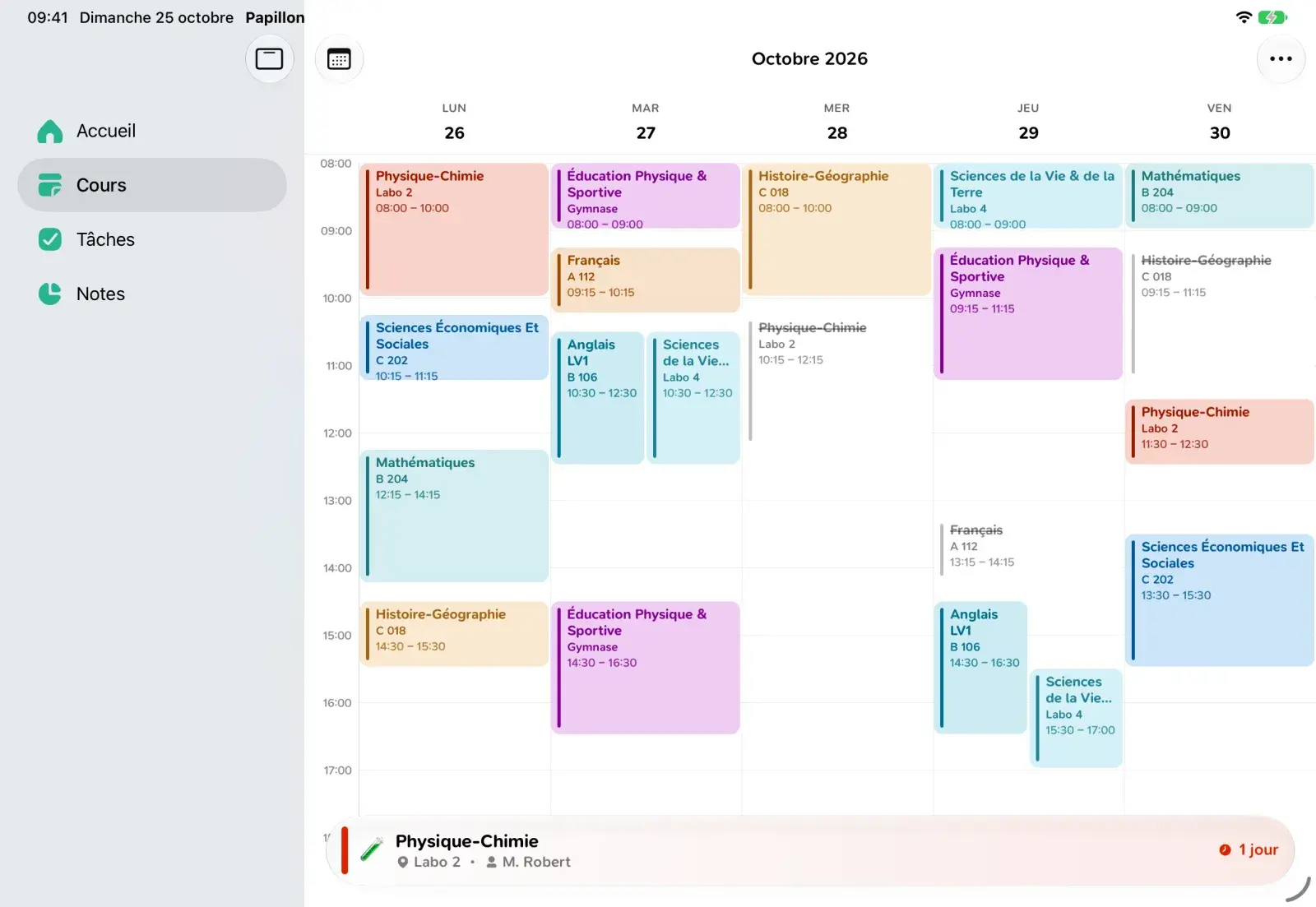
- Timetable: the whole week shows at once, with one column per day.
- Cards and login: the canteen and login screens are centered instead of stretched.
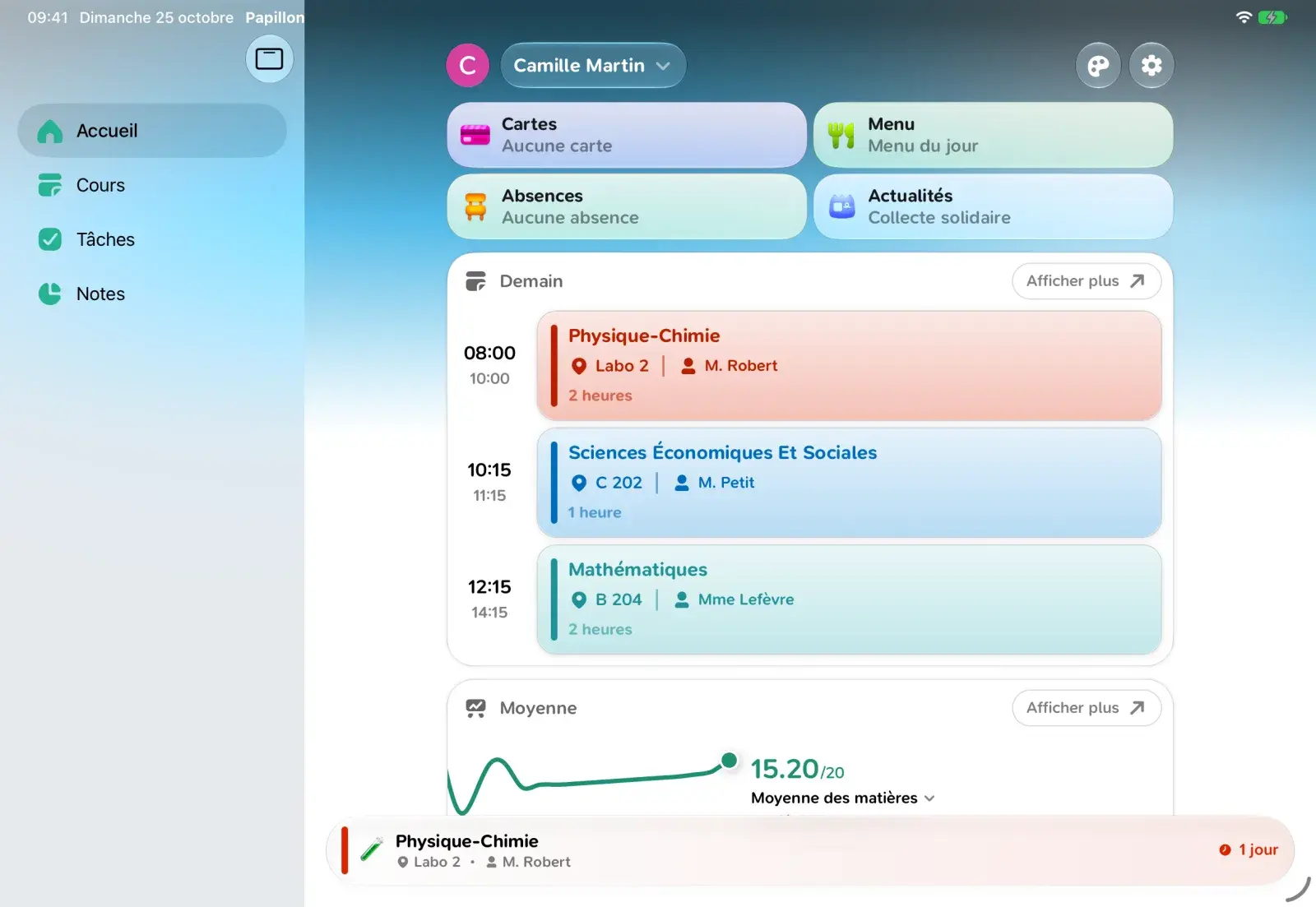
Above all, Papillon is now fully resizable. On the iPhone Duo, the app looks like on any iPhone when folded, then switches to the big screen layout as soon as you unfold it, without restarting, right in the middle of using it. Same thing on iPad when you resize its window.
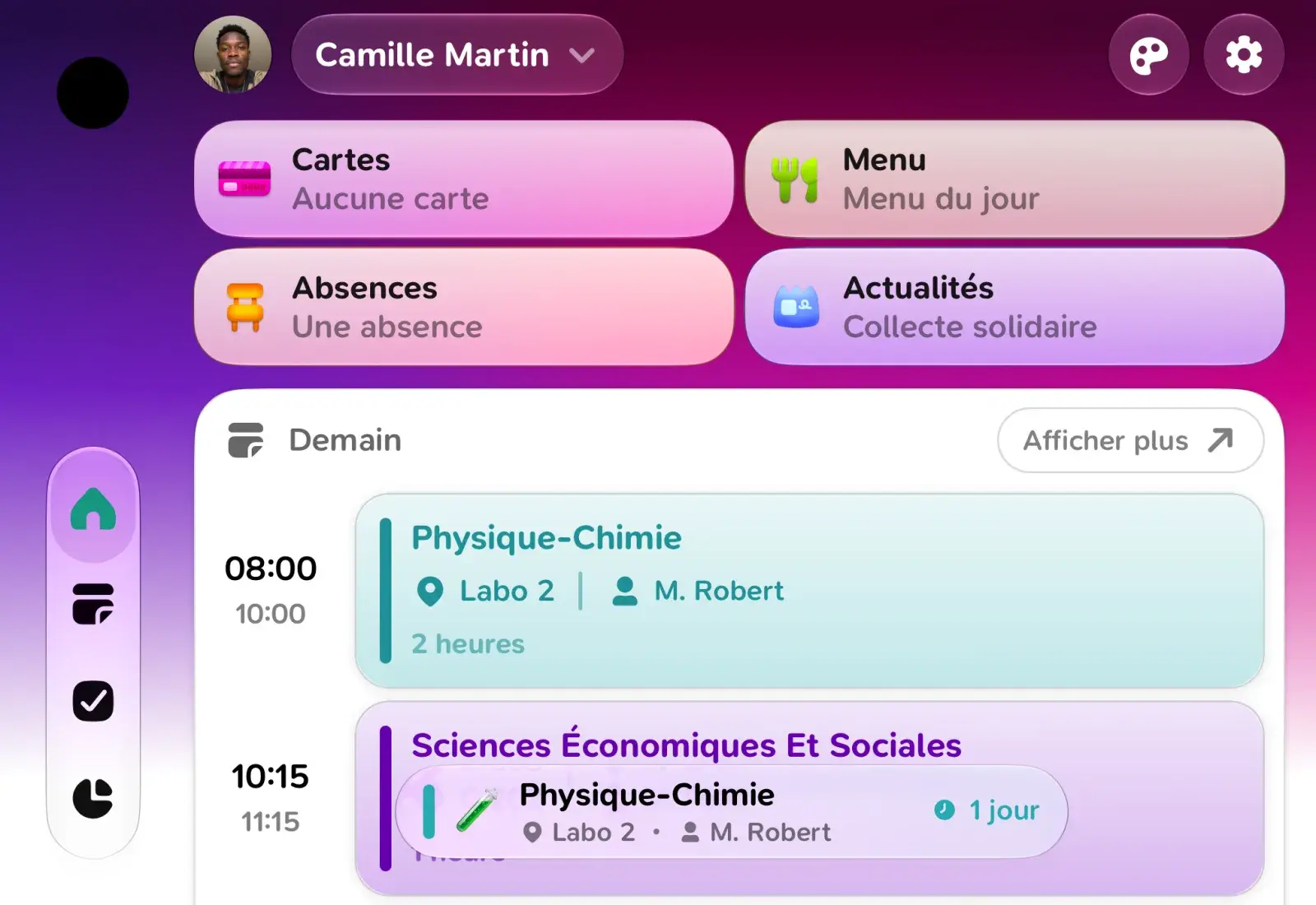
To get there, we also replaced our home-made tabs and headers with the iOS ones. Papillon now has the same animations and the same Liquid Glass effect as Apple's apps, and iOS resizes everything automatically.
We tell the whole story, from our Apple workshop in London to the iPhone Duo launch, in a dedicated article.
Timetable
The week view isn't just for big screens: it's coming to iPhone too, with one column per day, just like a paper planner. It's still in beta: turn it on from the Display button at the top of the screen, and switch back to the list whenever you want.
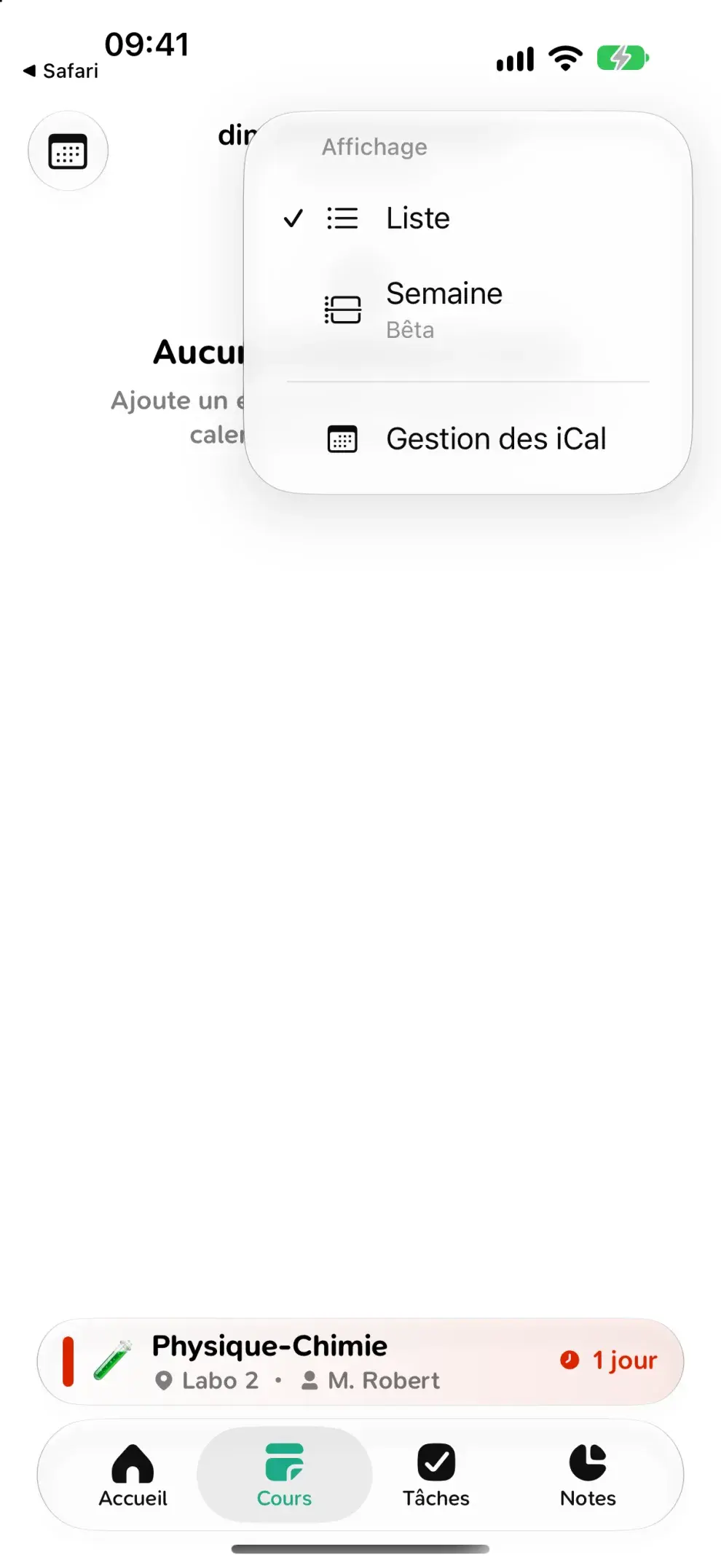
Saturday and Sunday only show up if you actually have classes on those days. No need to keep two empty columns on screen all year long.
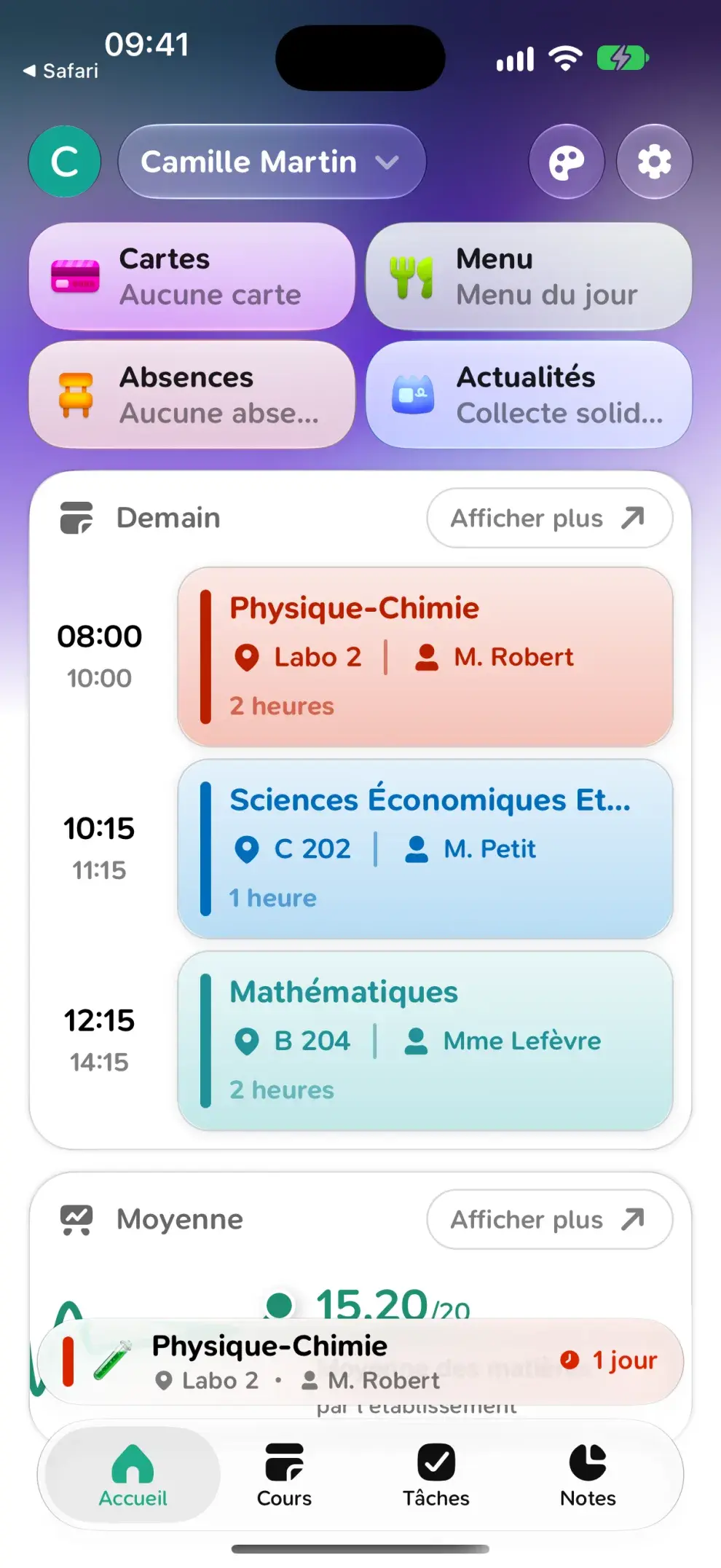
On iPhone, your current or next class can also show up as a Live Activity, on the lock screen and in the Dynamic Island, with the time left before it starts or ends. You'll find the option in Settings > Features > Lock screen.
Finally, Quick glance shows your next classes right above the tabs, and hides itself when there's nothing left to show.
Homework
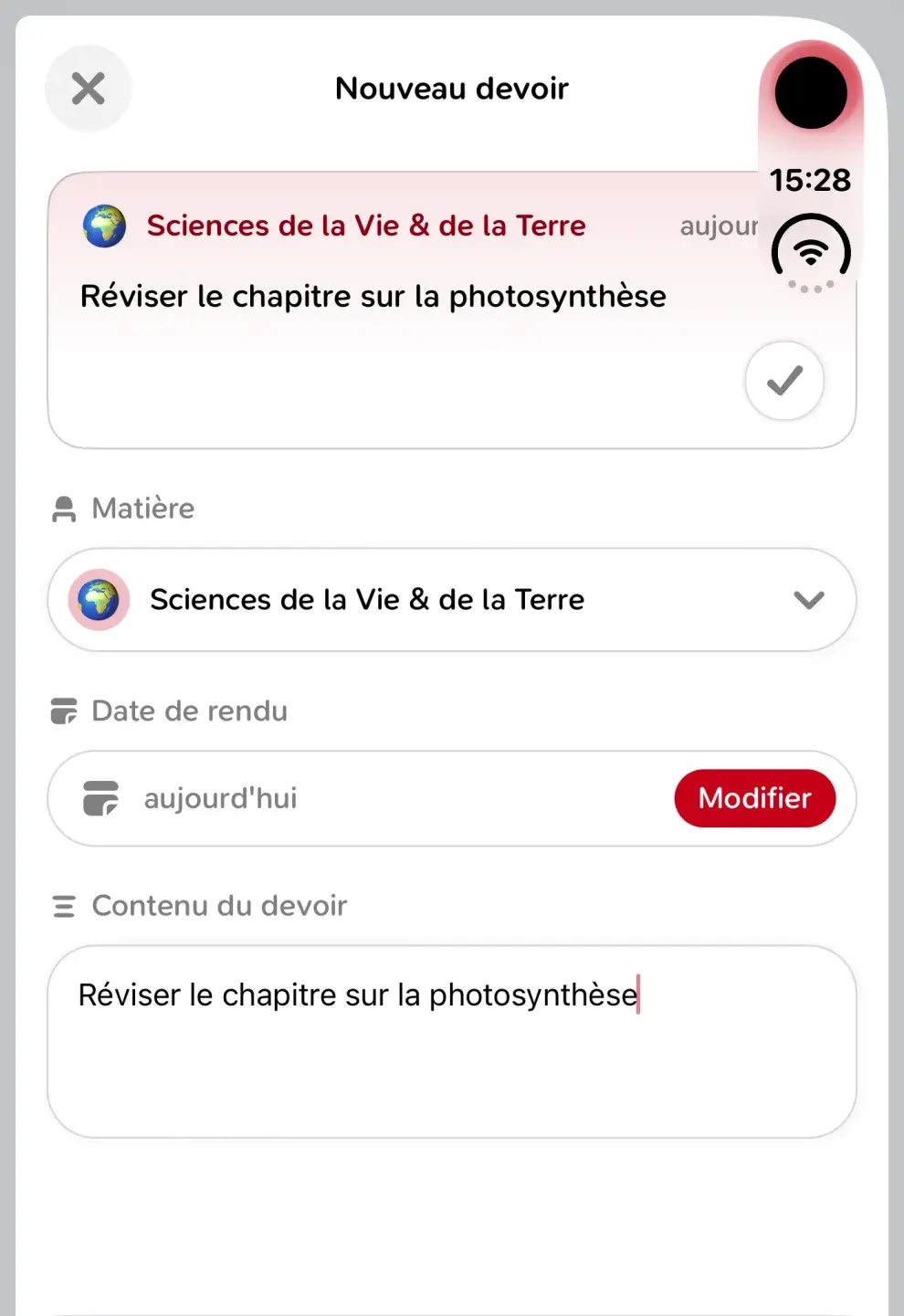
It was one of the most requested features: you can now create your own homework. A subject, a due date, some content, and it's saved. Homework you added yourself gets a small icon, and you can edit or delete it at any time.
The Homework tab has been reworked too:
- Weeks: swipe the list left or right to move from one week to the next.
- The header: it now uses the iOS navigation bar, with a title that shrinks as you scroll.
- The countdown: the number of days before a due date now counts from midnight, so it no longer says "tomorrow" on the day itself.
Grades
Grades got a good share of the work these past months, including:
- Skills: if your school grades by skills, they finally show up in Papillon, both in the list and in a grade's details.
- Grade scale: as an experiment, you can choose what your grades are out of, instead of converting everything to 20.
- Median: a new way to compute your average, from the median of all your grades.
- The chart: slide your finger across it to go back in time and see how your average evolved.
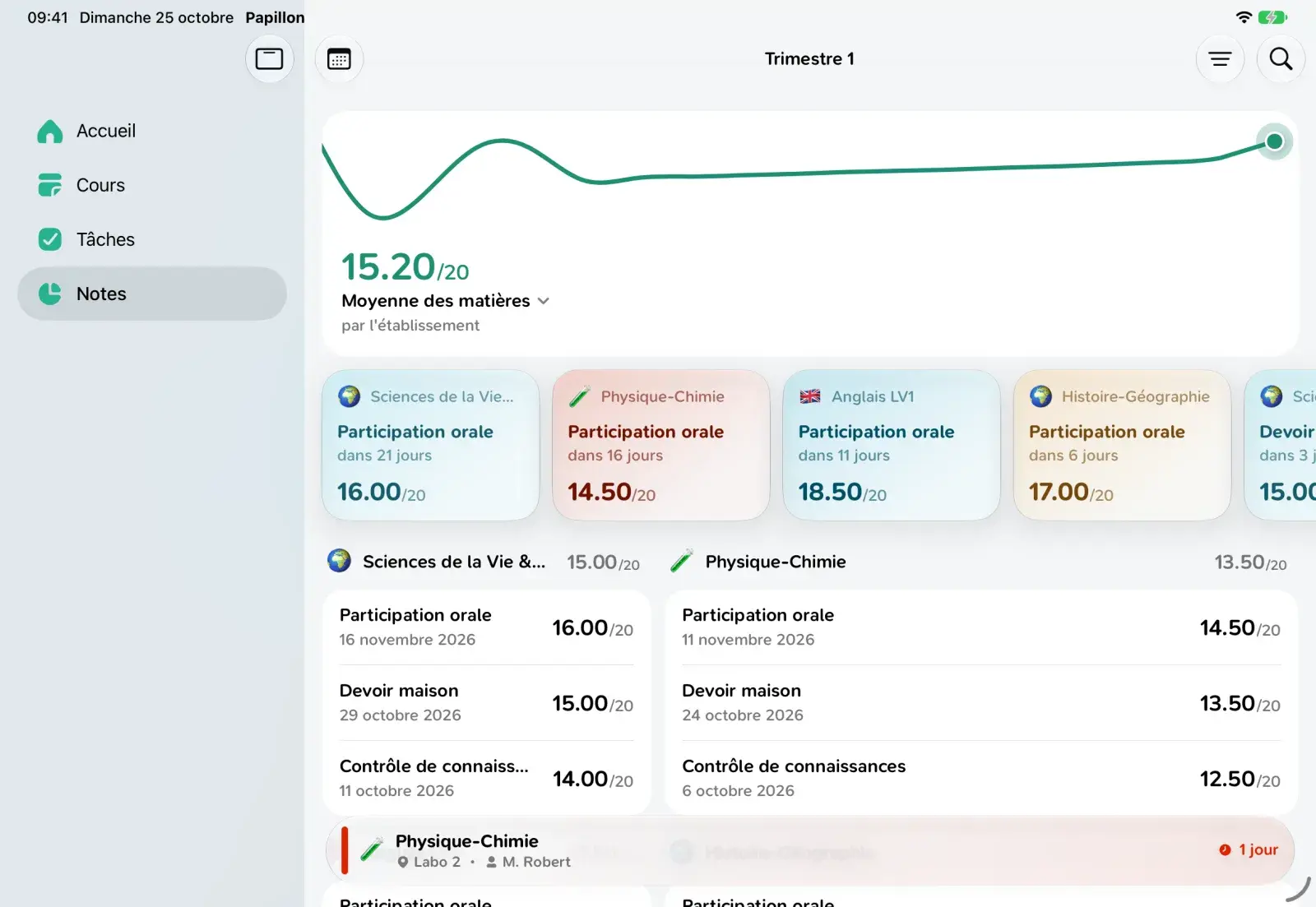
When your service doesn't provide an average, Papillon now computes it itself. And when a subject has no average, it no longer shows a meaningless "NaN".
Home and personalization
Your home screen can now have a gradient wallpaper, randomly generated. A Shuffle button suggests a new one on every tap, and each account can have its own wallpaper.
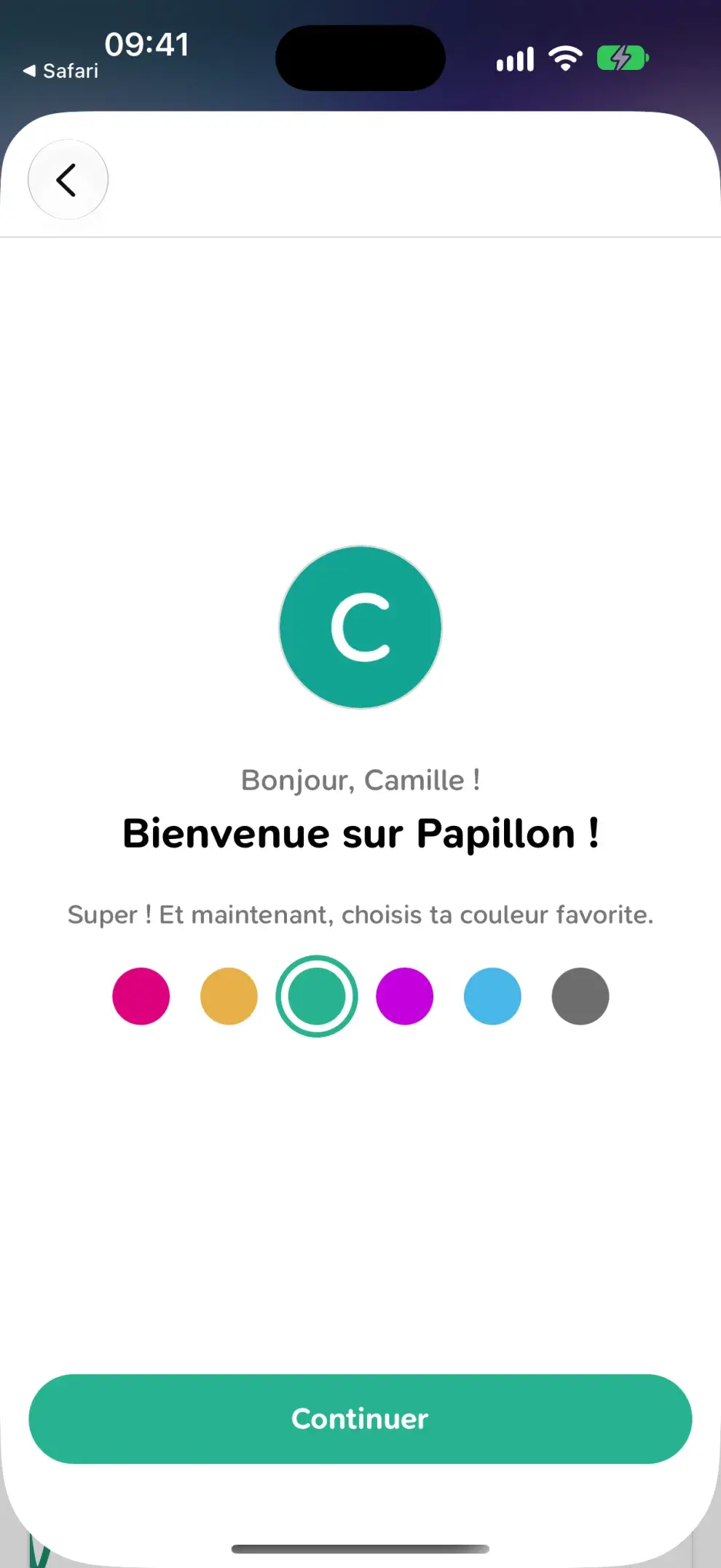
The first time you open the app, Papillon also offers to add a profile picture and pick your favorite color. You can of course skip this step and set everything up later in the settings.
A new Settings > Features page gathers the settings that change how the app behaves: Quick glance, tab names, Live Activities and the grade scale.
On iPhone, a few tips now show up at the right time to help you discover these gestures. They only appear once you've settled in, not three at once on first launch.
Papillon on your iPhone
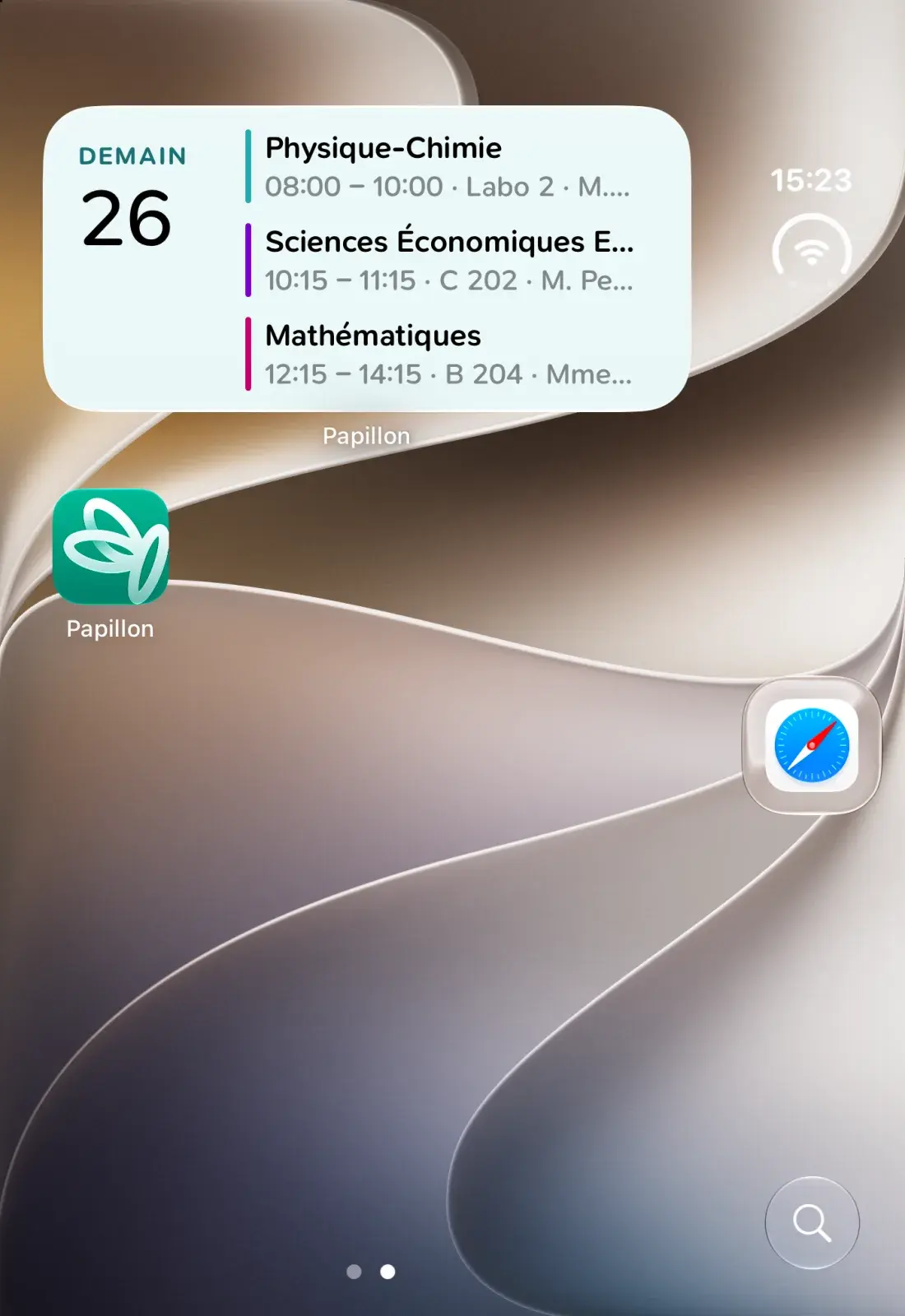
A big part of this version isn't visible in the app, but around it. Thanks to PapillonKit, Papillon now reaches places it couldn't before:
- Widgets: your timetable and homework, right on your home screen.
- Live Activities: your current or next class, on the lock screen and in the Dynamic Island.
- Siri and Spotlight: your next class or next homework, without opening the app (starting with iOS 27).
School services
On the login side, several services were improved:
- PRONOTE: two-factor authentication and the security checks some schools require are now handled directly in Papillon. Compound and accented last names are no longer cut, and the city list shows postal codes.
- ÉcoleDirecte: university accounts are supported, and Papillon can use the colors chosen by your school.
- Skolengo, TurboSelf and ARD: several login issues were fixed.
You can also create an offline account, not linked to any school service. Handy to try Papillon out, or to keep track of your homework by hand.
Finally, the IUT de Lannion service was removed for security reasons. Affected accounts were signed out, and you can connect another service from the home screen.
Your data, better protected
All your Papillon data stays on your phone, since we don't have any server. With 8.6, your accounts and login details are now encrypted, with a key kept in your device's secure storage.
Android
Android wasn't left behind. The app follows Material You more closely, with new context menus, new icons and reworked login screens. The back button works everywhere again, and the emoji picker was fixed.
Good to know
Papillon 8.6 now requires iOS 17.6 or later on iPhone and iPad. If your device is stuck on an older version, you'll keep the last compatible version of Papillon.
Under the hood, the app moves to Expo 58, and we took the opportunity to clean things up: the app has nearly 20,000 fewer lines of code than 8.5. Less code means fewer bugs and a lighter app.
Conclusion
Six months, two versions and lots of small things that, put together, change your everyday life with Papillon quite a bit. Thanks to everyone who contributed code, translations and feedback during these months.
As always, if you find a bug or have an idea, let us know. More is coming soon!